
Staying Safe Online in Skipton and Beyond
In recent months, we’ve heard from several local residents and community groups across Skipton and North Yorkshire who’ve been targeted by scams. From suspicious emails to fake WhatsApp messages and even convincing phone calls. Sadly, these “phishing” attacks are becoming more common and more sophisticated, often targeting older people and those who use technology to stay connected with family, banks, or local services.
At Skipton Tech, we want to help everyone feel confident and safe online. This guide explains what phishing is, the signs to look out for, and what you can do to protect yourself and your loved ones.
🧠 What is phishing?
Phishing is when criminals try to trick you into sharing personal details, passwords, or bank information. They usually pretend to be someone you trust, such as your bank, the NHS, Royal Mail, Amazon, or even a friend or family member and contact you by email, text, WhatsApp message, or phone call.
Their goal is simple: to get you to click a link, open an attachment, or reveal private information that lets them steal money or identities.
⚠️ Common types of scams seen locally
Here are a few examples of the kinds of scams that have been circulating recently around Skipton and the wider area:
- “Mum/Dad” WhatsApp messages – A message appears saying something like “Hi Mum, I’ve got a new phone. Can you send me some money quickly?” These are scams. Always call or message your family member on their normal number before doing anything.
- Fake delivery or Royal Mail texts – A message might claim you’ve missed a parcel and need to “pay £1.50 to redeliver”. These links lead to fake websites designed to steal your card details.
- Bank or HMRC calls – You may get a phone call saying there’s suspicious activity on your account, or that you owe unpaid tax. These can sound very professional but are scams. Hang up immediately and call your bank or HMRC on their official number from their website.
- Amazon refund or computer repair scams – A caller might say you’re due a refund or that your device is infected. They’ll ask you to share your screen or download software — never do this. Genuine companies won’t ask for remote access or payments this way.
🔍 How to spot a phishing attempt
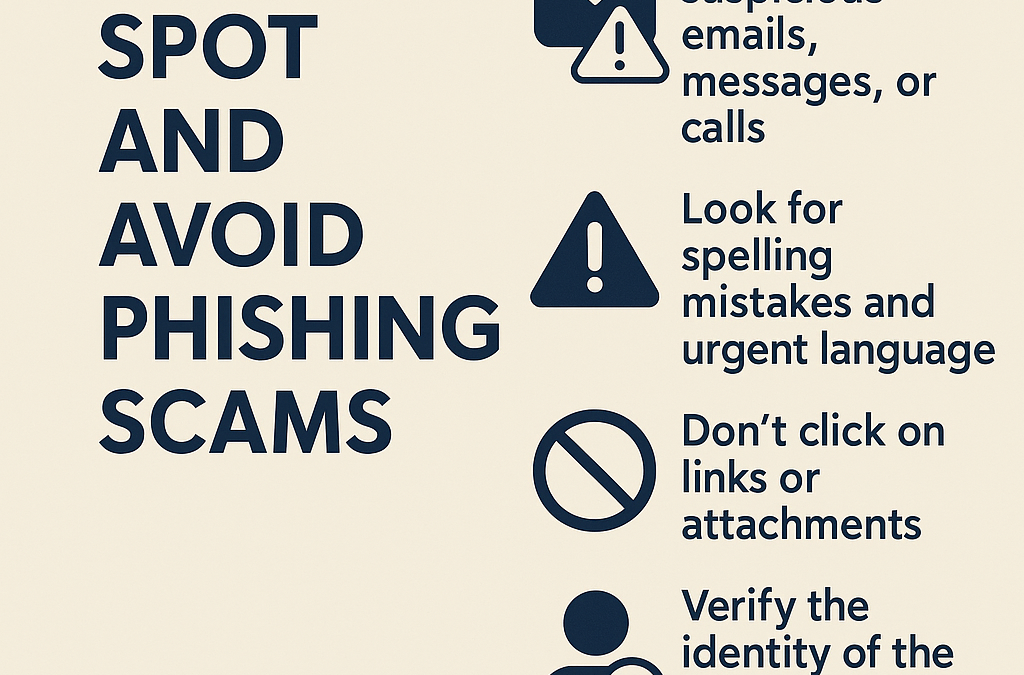
Even the best scammers usually slip up somewhere. Look out for these warning signs:
- Spelling or grammar mistakes – Professional companies don’t send emails with errors or poor layout.
- Unexpected contact – If you weren’t expecting an email, text, or call, be cautious.
- Urgent or threatening language – “Your account will be closed today!” is designed to make you panic.
- Suspicious links or attachments – Don’t click on links in emails or texts unless you are 100% sure they are genuine.
- Unusual sender address or phone number – A bank email should come from an address ending in the official domain (e.g.
@barclays.co.uk), not a Gmail or random-looking one. - Requests for passwords or personal details – No bank, government department, or major retailer will ask for these over text, WhatsApp, or email.
✅ What to do if you’re unsure
If you’re not certain whether a message or call is real:
- Don’t click anything or share details.
- Check directly with the organisation using their website or a trusted phone number (never the one in the message).
- Talk to someone you trust – a friend, family member, or even us at Skipton Tech can take a quick look for you.
- Report suspicious emails by forwarding them to report@phishing.gov.uk or texts to 7726 (it’s free).
Remember, you’re never being rude by hanging up on a suspicious call you’re protecting yourself.
🔒 Simple ways to protect yourself
- Keep your devices updated – Updates often fix security issues.
- Use strong, unique passwords – Avoid using the same password for multiple accounts.
- Enable two-step verification – This adds an extra layer of security.
- Install antivirus and security software – Ask for help if you’re unsure what to use.
- Regularly back up important files – So you won’t lose photos or documents if something goes wrong.
- Be cautious with social media – Scammers often collect personal info from Facebook and other platforms.
💬 A local message from Skipton Tech
We know technology can sometimes feel overwhelming, especially with new scams appearing almost daily. But with a few simple habits and a bit of awareness, you can stay safe and confident online.
If you’re part of a community group, social club, or local organisation in Skipton or North Yorkshire and would like us to visit and run a friendly cyber safety and scam awareness session, please get in touch.
We’ll show you real examples, help you recognise common signs, and answer your questions — all in plain English, at your pace.
📞 Contact Skipton Tech today to learn more about our community training sessions and stay one step ahead of the scammers.